Post-call session
A post-call session triggers after a call ends. In a post-call session, offline processing occurs after a call when a person is no longer connected. Offline processing typically consists of these operations:
- Detect known fraudsters — performed on longer audio with respect to the realtime processing.
- Near-term adaptation — performed to adapt the print with a second verified audio.
- Redaction — performed on every incoming call to remove Personally Identifiable Information (PII) data from the audio and from the transcribed text; this might incur an additional cost.
Fraud detection on orphaned audio
An orphaned audio is a call or audio with no Person ID. This can either be caused by calls deemed out of scope, agents failing to use the solution, callers failing to pass authentication, Person IDs missing from the CTI layer, or fraudsters who are attempting to socially engineer the agent (and no Person ID is passed).
You can perform fraud detection on an orphaned audio through the following configuration parameters:
- PostCallDetectFraudVoiceprintOnOrphanConfigSetId
- PostCallDetectFraudVoiceprintOnOrphanWatchlistId
- PostCallDetectFraudVoiceprintOnOrphanVoiceprintTag
Note:
Post-call session may or may not incur additional transaction or cost. For more information, contact your Nuance representative.To enable or disable running the post-call session on an orphan audio, follow these steps:
-
Log in to the Gatekeeper web application.
-
Select Configuration on the navigation toolbar.
-
Select your scope from the SCOPE CONFIGSET list. A list of scope parameter categories appears.
-
Select Post Call category. A list of post call parameters appears.
-
If you require to enable running the post-call session on an orphan audio, set the value of PostCallDetectFraudVoiceprintOnOrphanConfigSetId as your required operational configset.
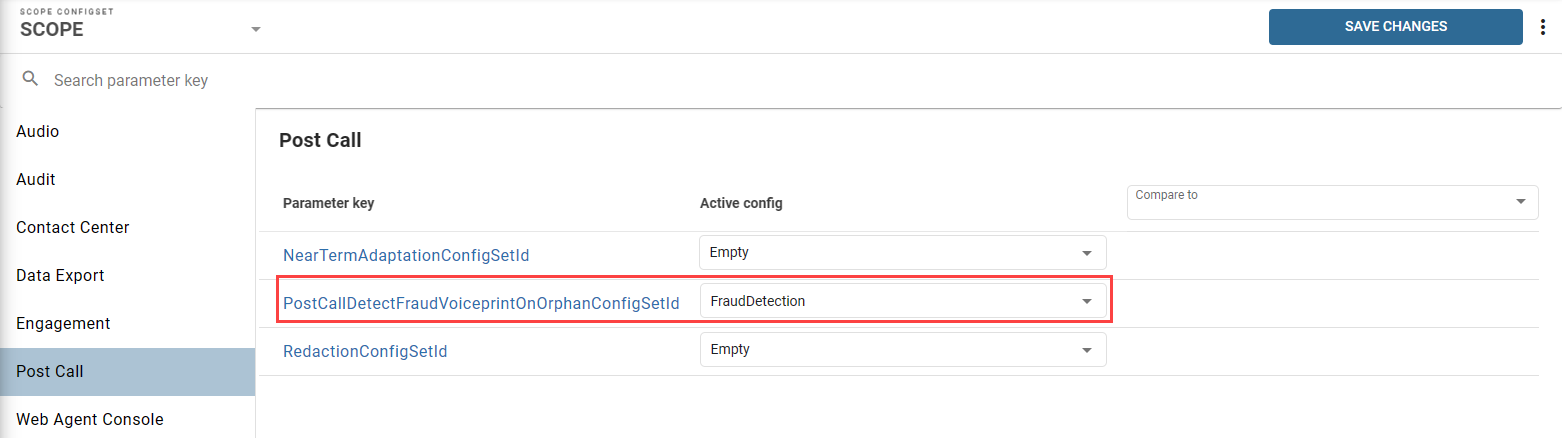
-
If you require to disable running the post-call session on an orphan audio, set the value of PostCallDetectFraudVoiceprintOnOrphanConfigSetId as Empty.
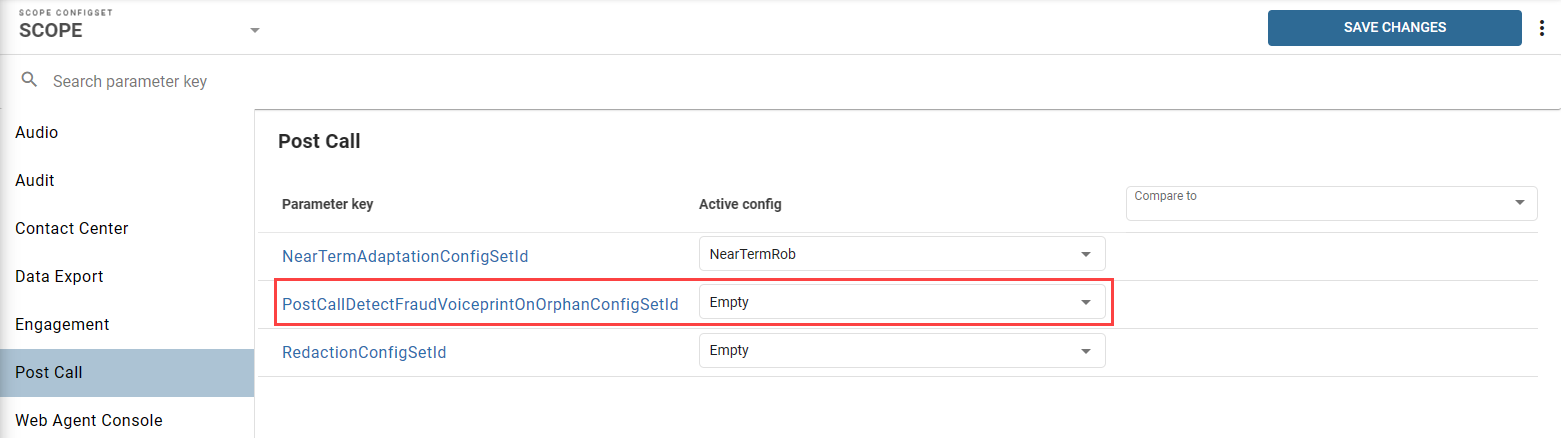
-
Select SAVE CHANGES.